Prerequisites to Authoring in WordPress
- Active, Authorized?: You and your site editors will need to have valid, active UMS user accounts and be formally assigned to work on updating your campus website. Manage your UMS user account at http://accounts.maine.edu/.
- Secure Connection?: Each editing team member will need to use UMS VPN (Virtual Private Network) to access the administrative and editor aspects of the site. This can be acquired, set up, and configured by visiting: https://vpn.net.maine.edu/help.php. Also, here is a step-by-step VPN Setup Guide from Technology Support.
- Trained?: Any campus content editors are trained at the campus by a knowledgeable website administrator in a test environment until editor competence is demonstrated.
- Accessible Content?: You and your editors are prepared to publish content that is accessible by users with assistive technologies and comply with UMS policy regarding producing accessible content.
Our WordPress sites are set up to use the same maine.edu login as other IT services, such as Gmail and myCampus.
Login to your WordPress Site
- Login: Access your campus website environments by going to https://yoursubdomain.maine.edu/wp-admin or https://yoursubdomain.maine.edu/subsite/wp-admin Alternatively, you can try https://yoursubdomain.maine.edu/wp-login.php to login.
Troubleshooting Login Issues
WordPress has fewer moving parts than other web systems, so there isn’t much to troubleshooting user access issues. However, there are a few items that can be checked that may help resolve issues without submitting a ticket:
- Are you logging in at the correct URL with the correct username and password?
The login page to edit a WordPress site is the URL of the site followed by /wp-login.php/, such as https://www.uma.edu/wp-login.php/ . Currently, some campus web sites use LDAP (i.e. maine.edu) username and password, and others use credentials specific to the web site, created by the site administrator. - If you can’t log in onto an LDAP-based site, can you log into another LDAP-based service, such as Gmail?
For non-LDAP sites, there is generally a “forgot my password” link that will allow the user to create a new password. - Do you have permission to edit the web site?
Permissions are given manually by a web site administrator, rather than automatically through LDAP groups, as is the case in some web systems. Web Technologies can verify if you have been given access to the site, but generally will not give access without the permission of the site content administrator, who would be a user in a specific department, rather than someone in Web Technologies. Please contact your local website Administrator for access to the campus site authoring tools.
Finding your Site
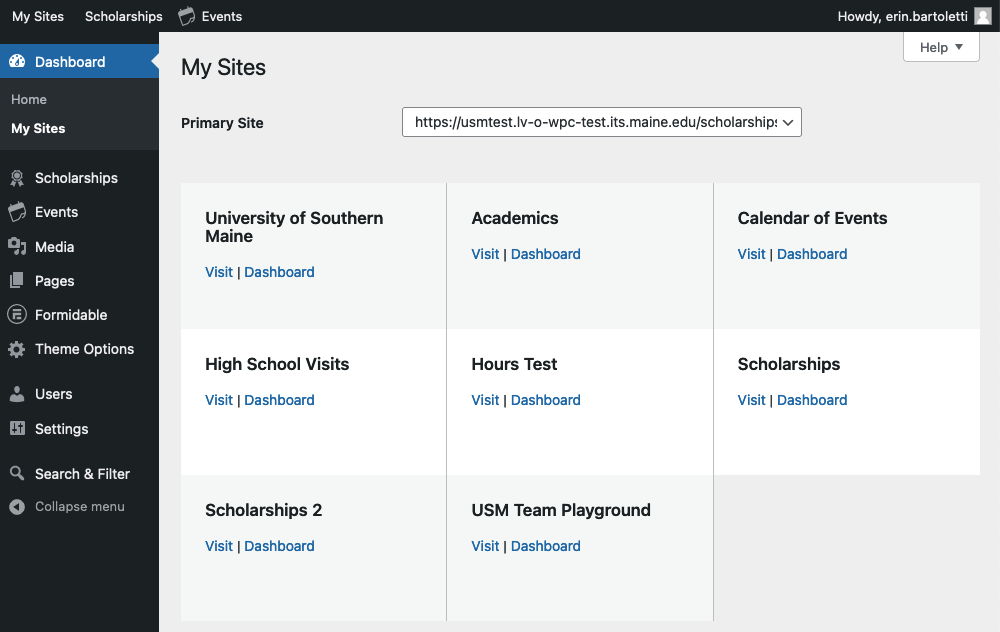
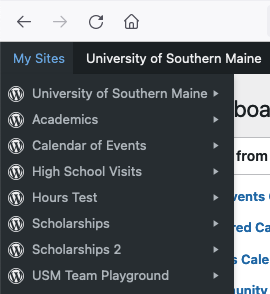
Use the My Sites menu option in the upper-left corner after login.
You can use the pull-down menu to visit the site or go to the site dashboard:
Alternatively, select / click “My Sites” to view a larger listing of all your sites: